 By
By
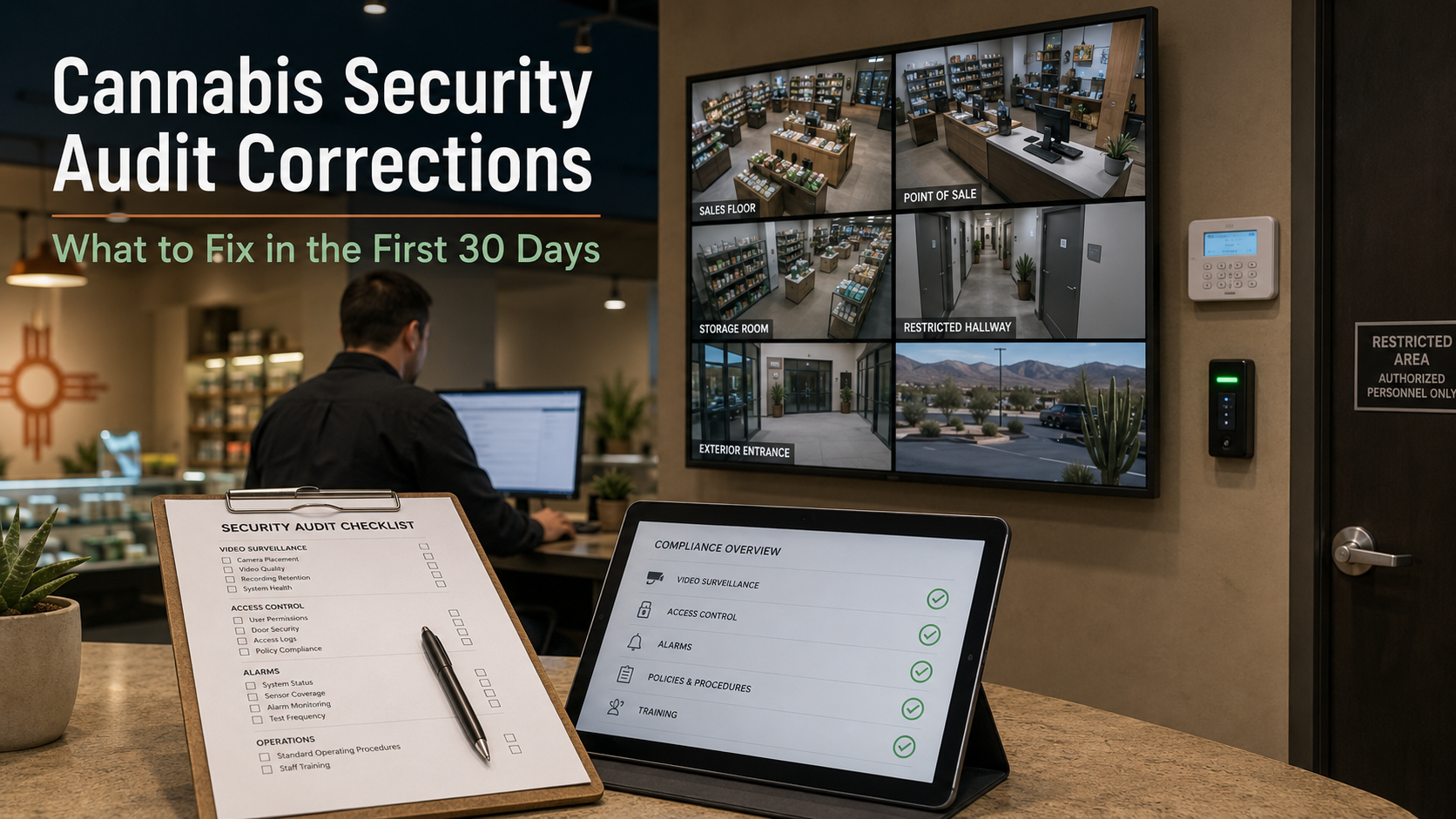
A failed cannabis security inspection can put an operator under immediate pressure.
You may be told that cameras do not cover required areas, recorded footage cannot be retrieved, the alarm is missing required sensors, restricted rooms are not properly secured, or maintenance records are incomplete.
Then the correction period begins.
The New Mexico Cannabis Control Division retail inspection checklist available online states that a corrective plan must be submitted within five business days after receiving the corrective-action template. Proof of completed corrections must be submitted within no more than 30 days. Failure to submit the plan or proof may result in fines, suspension, or license revocation.
That is not much time to review the findings, locate equipment, approve a quote, schedule technicians, complete installation, test the system, and organize proof.
The worst response is to start buying equipment without understanding exactly what failed.
The better response is to turn every finding into a clear corrective scope.
Start With the Written Findings
Do not rely only on what was discussed during the inspection.
Review the written inspection report, corrective-action notice, photographs, notes, and every rule section referenced by the inspector.
For each security-related finding, write down:
- What was marked out of compliance?
- What rule or checklist item was referenced?
- What physical or procedural correction is needed?
- What proof will show that the correction was completed?
Some problems may be fixed through documentation, staff training, camera adjustment, or updated procedures.
Others may require:
- New cameras
- Additional alarm sensors
- Door or lock repairs
- Access-control equipment
- Cabling or network improvements
- Exterior lighting
- Updated diagrams
- Changes to restricted-area procedures
Knowing the difference helps avoid wasting money on equipment that does not address the actual violation.
Understand the Two Deadlines
A cannabis operator may have two different deadlines to manage.
The first is the corrective plan. The public CCD retail inspection checklist says this plan must be submitted within five business days after the operator receives the corrective-action template.
The second is proof of completion. The checklist says photographs, videos, completed documents, or other applicable proof should be submitted after corrections are complete, within no more than 30 days. The checklist also directs operators to keep the corrective plan and proof within the original inspection email chain.
Operators should follow the dates and instructions in their own notice. The CCD currently advises businesses to request the most recent blank inspection checklist directly from its compliance team, so the operator’s current inspection documents should control the response.
Do not wait until the final week to contact a security provider.
Equipment availability, financing, cabling, door hardware, permits, installation scheduling, and testing can all affect the completion date.
Review the Most Common Security Problems
Cannabis security findings often involve several systems at once. Cameras may be the most visible part of the project, but alarms, restricted areas, lighting, and records also matter.
1. Alarm System and Monitored Sensors
Security cameras do not replace a required alarm system.
Current New Mexico rules require an operational security alarm at each licensed premises. The system must be continuously monitored and capable of notifying designated employees and, when necessary, law enforcement within five minutes of an alarm or system-failure notification.
The rules also call for monitored sensors on perimeter entry points and applicable perimeter windows, an audible alarm, remote disarming capability, and documentation describing the system, zones, and monitoring provider.
A practical alarm review should confirm:
- Every applicable exterior door is protected
- Applicable perimeter windows are monitored
- The audible alarm works
- The monitoring account is active
- Current employees receive notifications
- Alarm zones match the present building layout
- The system reports failures
- Monitoring and service records are available
The rules also require monthly alarm maintenance inspections and at least 12 months of documentation covering inspections, service, alterations, and upgrades.
A working alarm can still create an inspection problem if the operator cannot produce the required records.
2. Camera Coverage and Image Quality
Having cameras installed does not automatically mean the surveillance system meets the requirement.
The CCD retail checklist calls for a digital surveillance system that clearly and effectively records required areas, maintains at least 30 days of footage, protects recordings against theft or tampering, displays an accurate date and time, and provides failure notifications.
Review coverage around:
- Entrances and exits
- Point-of-sale areas
- Product storage
- Limited-access rooms
- Delivery and receiving areas
- Areas where cannabis is weighed, packaged, labeled, handled, or moved
- The location of the recorder or video-storage equipment
- Hallways leading to restricted areas
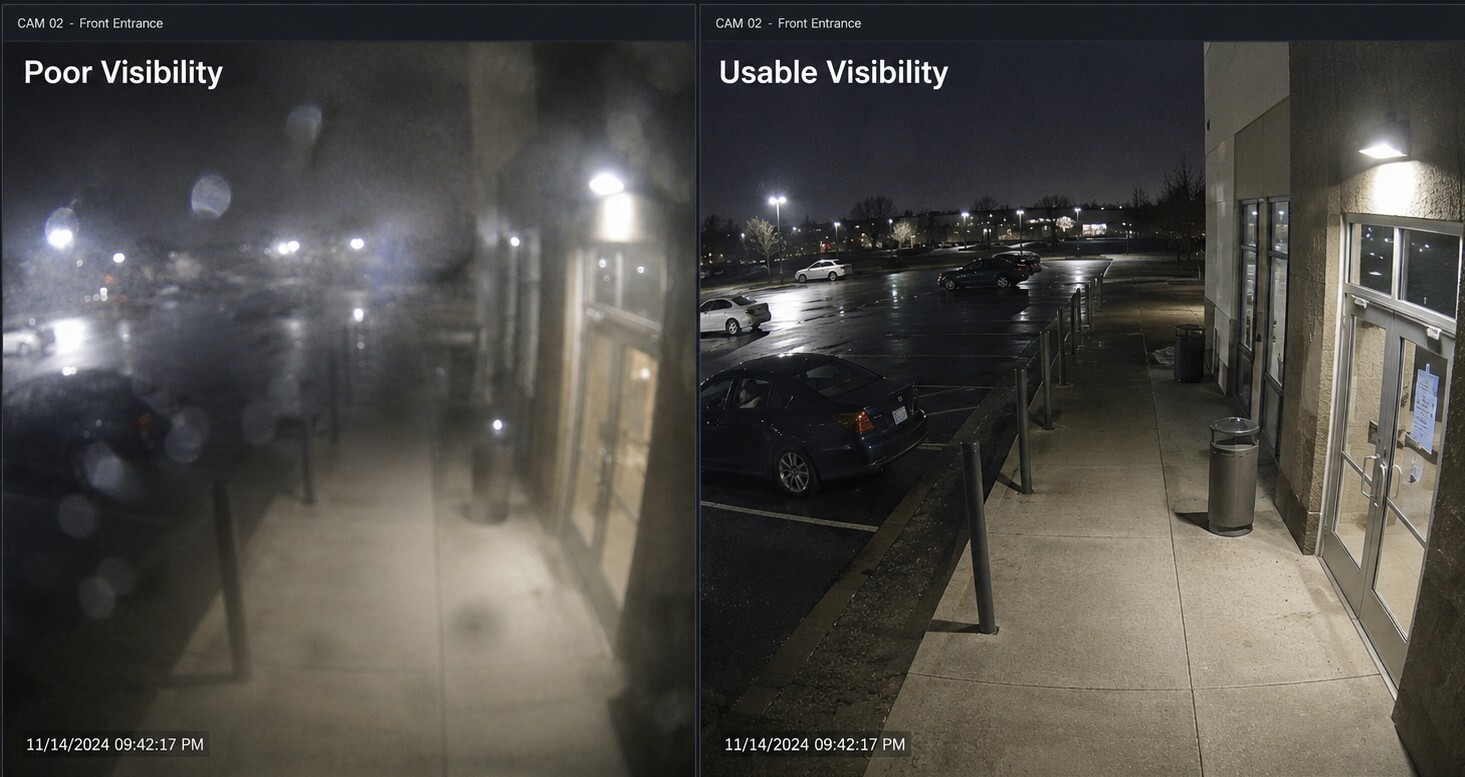
Do not judge the system only from live thumbnails.
Review recorded footage from daytime, closing time, overnight hours, and periods when headlights or direct sunlight affect the image.
A camera may technically show a room but still fail to provide clear identification of the people or activity in it.
3. Retention, Playback, and Export
An inspection-ready system must do more than display live video.
Staff should be able to find footage from a specific date and time, review it, export it, and confirm that the exported file plays correctly.
Before submitting the corrective response, test:
- Available retention
- Accurate timestamps
- Playback from several cameras
- Video export
- Playback of the exported file on another computer
- User access and permissions
- Storage or camera failure alerts
- Protection of incident footage from deletion
The checklist requires at least 30 days of general video retention. It also requires clear recording, secure storage, accurate time and date information, and a failure-notification system.
At least one responsible employee should know how to retrieve and export footage without waiting for an installer or outside IT provider.
4. Restricted Areas, Doors, and Access Records
Cannabis security extends beyond cameras and alarms.
The CCD checklist states that limited-access entrances should have a solid door or suitable gate, an appropriate lock, and signage identifying the area as restricted. It also requires access to be limited to authorized individuals and calls for daily records of employees and other authorized people entering limited-access areas.
Review:
- Product-storage rooms
- Vaults
- Employee-only rooms
- Manufacturing or labeling rooms
- Offices containing cannabis products
- Delivery doors
- Emergency exits
- Commercial-grade locks
- Door closers
- Shared keypad codes
- Staff credentials
- Visitor logs
- Restricted-area signs
A shared code may unlock a door, but it provides less accountability than individually assigned credentials.
Access control can help document who entered and when, but it should support the operator’s required records and procedures rather than replace them.
5. Lighting and Premises Documentation
Exterior camera performance depends heavily on lighting.
The retail checklist states that perimeter entry points must have enough lighting for observers to see, and for cameras to record, activity within 20 feet of the gate or entrance. Motion-activated lighting may be used in low-light conditions.
Inspect exterior views after dark and look for:
- Faces hidden in shadow
- Headlight glare
- Cameras aimed toward bright fixtures
- Dirty lenses or domes
- Poor visibility near employee or delivery entrances
- Excessive infrared reflection
- Cameras mounted too far from the target
Also confirm that the premises diagram matches the real facility. The checklist calls for a detailed diagram showing property boundaries, rooms, entrances, exits, doors, windows, principal activities, equipment, and numbered camera locations.
If rooms changed use, cameras moved, walls were added, or doors were modified, the existing diagram may be outdated.
Test the System, Do Not Just Look at It
A security system can appear operational and still fail when footage or records are requested.
Before submitting proof of correction:
- Trigger an alarm sensor
- Confirm the correct employee receives the notification
- Verify the monitoring company sees the signal
- Review nighttime camera footage
- Retrieve video from several weeks earlier
- Export a test clip
- Confirm the timestamp
- Check camera and storage failure alerts
- Confirm that restricted doors close and lock correctly
- Verify that employee access can be removed
- Compare the current camera layout with the premises diagram
Testing helps catch problems while there is still time to correct them.
A Practical 30-Day Correction Plan
Every inspection is different, but this structure can help keep the response organized.
First 48 Hours
- Review the entire inspection report
- Mark every security-related finding
- Assign one person to manage the response
- Gather alarm, camera, access, and maintenance records
- Photograph the current conditions
- Contact a qualified security provider
Before the Five-Business-Day Deadline
- Prepare the corrective plan
- Explain how each violation will be addressed
- Identify the responsible employee or vendor
- Provide realistic completion dates
- Submit the plan using the CCD’s instructions
- Keep the response in the requested email chain
Days 5 Through 20
- Complete the site review
- Approve the corrective scope
- Apply for financing if needed
- Order equipment
- Complete cabling and installation
- Adjust or add cameras
- Correct alarm coverage
- Repair doors and locks
- Update restricted-area controls
- Test retention, export, alerts, and nighttime visibility
Before the Final Deadline
- Test every corrected item
- Take clear photographs
- Export sample footage
- Verify timestamps
- Update diagrams and records
- Collect invoices and service documentation
- Submit proof of correction
- Retain a complete copy for the business
Do not wait until day 29 to discover that an exported video will not open or that a new camera still misses the required area.
Financing Can Help Operators Move Faster
An inspection can create an unexpected project that was not included in the current operating budget.
The work may involve cameras, alarm equipment, access control, door hardware, network upgrades, lighting, fencing, gates, or installation labor.
Auvra can help eligible cannabis operators review two cannabis-friendly financing paths.
ReadyPaid for Shorter-Term Payment Flexibility
Auvra is an approved ReadyPaid vendor.
ReadyPaid allows eligible cannabis businesses to apply using an Auvra quote or invoice. ReadyPaid describes payment options ranging from 30 days to seven months. Its Net 30 option delays full payment for 30 days, while Net 30 Flex can allow installments over as many as six additional months.
ReadyPaid also states that applying does not involve a hard credit inquiry, approved transactions are paid directly to Auvra, and customers can repay early without a penalty. All terms remain subject to eligibility and approval.
FundCanna for Larger or Longer Financing Needs
FundCanna may be worth reviewing when the project is too large for a short payment window or when the operator needs broader equipment financing or working capital.
FundCanna offers financing for licensed cannabis, CBD, and hemp businesses. Its published equipment-financing materials describe arrangements lasting from several months to a few years, depending on the approved structure. FundCanna also describes a process in which it pays an approved equipment vendor and the cannabis business makes monthly payments back to FundCanna.
Financing approval, amounts, costs, and repayment schedules are determined by the provider. Financing does not guarantee that the CCD will accept a proposed correction.
How Auvra Helps
Auvra helps New Mexico cannabis operators turn inspection findings into a practical security scope.
That may include:
- Reviewing the security findings
- Walking the licensed premises
- Evaluating cameras and recorded footage
- Testing retention and exports
- Reviewing alarm sensors and monitoring
- Evaluating restricted-area access
- Reviewing exterior doors, windows, and lighting
- Planning cameras, alarms, access control, and network improvements
- Coordinating installation
- Organizing documentation for completed work
- Helping eligible operators explore ReadyPaid or FundCanna options
Auvra is also a Verkada Authorized Dealer and can help operators evaluate cloud-managed cameras, access control, alarms, remote system health, user permissions, and long-term platform management.
The goal is not to install the most equipment.
The goal is to identify the actual gap, complete the corrective work, test the result, and give the operator useful documentation.
Need Help Responding to a Cannabis Security Inspection?
A short correction period does not leave much room for trial and error.
Auvra helps New Mexico cannabis retailers and other licensed operators review security findings, define corrective work, coordinate improvements, and document completed projects.
If your facility received an inspection report or corrective-action notice, send Auvra the security-related findings as soon as possible.
We can help determine whether the problem involves cameras, alarms, access control, locks, lighting, retention, documentation, or a combination of systems.
Eligible operators may also be able to use ReadyPaid for shorter-term payment flexibility or explore broader financing through FundCanna.
Request an Urgent Cannabis Security Review
Review Security Financing Options
This article provides general security-planning information and is not legal or regulatory advice. Requirements can change, and operators should follow their specific inspection notice, verify current New Mexico Cannabis Control Division requirements, and consult qualified legal or compliance professionals when appropriate.
FAQ
How quickly must a New Mexico cannabis operator respond?
The public CCD retail inspection checklist states that the corrective plan must be submitted within five business days after the operator receives the corrective-action template. Proof of corrections must be provided within no more than 30 days. Operators should follow the exact dates and instructions in their own notice.
Are cameras enough without a monitored alarm?
No. New Mexico rules separately require an operational security alarm that is continuously monitored and includes required sensors, notifications, an audible alarm, and remote disarming capability. This can include door sensors, window sensors, garage door sensors, motion detection sensors.
What are the camera resolution requirements?
New Mexico rules require a minimum camera resolution of 720p or 1 megapixel, however the camera must also be able to clearly and effectively record the monitored area with clear identification of people and activities. At Auvra, we recommend a minimum of 5MP which allows for much more usable detail, viewing distance and nighttime coverage.
Do cannabis security cameras have to be hardwired instead of Wi-Fi?
New Mexico’s cannabis rules do not expressly require cameras to use Ethernet, coaxial cable, or another hardwired connection. They also do not specifically prohibit Wi-Fi cameras. The rules focus on whether cameras are permanently mounted, cover all required areas, clearly and effectively record activity, securely store footage, and provide notification if the surveillance system or storage fails.
Although a properly installed Wi-Fi camera system may be capable of meeting those requirements, Auvra generally recommends hardwired Power over Ethernet, or PoE, cameras for licensed cannabis facilities.
Wi-Fi cameras depend on a radio connection between each camera and the network. Wireless performance can be affected by congestion, signal interference, building materials, access-point failures, and intentional jamming. Wireless security also depends on proper encryption and network configuration. CISA recommends using modern WPA protections to encrypt information transmitted between wireless devices and the network, while NIST identifies interference and jamming as availability concerns for wireless systems used in critical applications.
PoE cameras use a physical network cable to carry both power and data. For cannabis facilities, this usually provides:
- More consistent camera connectivity
- Less exposure to wireless interference or jamming
- Easier connection to centralized battery backup
- Better monitoring of camera and switch status
- More predictable video quality
- Easier troubleshooting after a system failure
- A more stable foundation for continuous recording
Hardwired cameras are not immune to power failures, network outages, cyberattacks, or equipment damage. The switch, firewall, recorder, internet connection, and backup power still need to be properly designed. However, Auvra considers PoE the lower-risk and more dependable approach for compliance-sensitive cannabis facilities.
Do cannabis cameras have to record continuously, or can they be motion activated?
New Mexico permits cannabis cameras to record continuously 24 hours per day or to use motion-activated recording. Under either method, cameras must record at a minimum of 15 frames per second and must clearly and effectively capture all required areas. The system must also maintain the required retention, accurate time and date information, secure storage, and failure notifications.
Although motion-activated recording is permitted, Auvra generally recommends continuous recording in all required cannabis areas.
Motion recording depends on the camera or recording system recognizing activity and beginning the recording correctly. Depending on the equipment and configuration, it may:
- Begin recording after an event has already started
- Stop before the full event is complete
- Miss slow or low-contrast movement
- Perform poorly in darkness or changing light
- Miss activity near the edge of a detection area
- Fail because sensitivity or detection zones were configured incorrectly
- Be deliberately avoided or obstructed
- Leave gaps in the timeline before and after an incident
Continuous recording provides a complete timeline. It can show what happened before an alarm, how a person entered the area, how long they remained, where they went next, and what occurred after the main event.
This is especially valuable at:
- Entrances and exits
- Point-of-sale stations
- Product-storage rooms
- Vaults and limited-access areas
- Delivery and receiving locations
- Areas where cannabis is weighed, packaged, labeled, handled, or moved
- Hallways leading to restricted rooms
- The location containing surveillance-storage equipment
A properly designed motion-recording system may still satisfy the rule, but it should be tested under real conditions, including overnight lighting, slow movement, partial obstructions, and activity at the edge of the scene. For most licensed cannabis facilities, Auvra recommends continuous recording because it provides stronger incident documentation and reduces the risk of missing required activity.
How much surveillance footage must be retained?
The retail inspection checklist calls for at least 30 days of surveillance retention, along with clear images, secure storage, accurate timestamps, and failure notifications. Auvra recommends using cloud based incident backups to avoid footage being recycled.
Do cannabis cameras have to record continuously, or can they be motion activated?
A properly designed motion-recording system may still satisfy the rule, but it should be tested under real conditions, including overnight lighting, slow movement, partial obstructions, and activity at the edge of the scene. For most licensed cannabis facilities, Auvra recommends continuous recording because it provides stronger incident documentation and reduces the risk of missing required activity.
What alarm sensors are required for a New Mexico cannabis business?
New Mexico rules require an operational, continuously monitored security alarm system with monitored sensors on all perimeter entry points and perimeter windows, if applicable. In practical terms, this usually means protecting exterior doors, employee entrances, delivery doors, emergency exits, and applicable perimeter windows.
The rule does not list interior motion sensors or glass-break sensors as universal minimum requirements for every facility. However, Auvra generally recommends them as part of a stronger cannabis alarm design. Door and window contacts help detect perimeter breaches. Motion sensors can help detect movement after someone gets inside. Glass-break sensors may be useful for accessible windows or storefront glass.
Auvra’s preferred cannabis alarm design usually includes door contacts, applicable window contacts, interior motion detection, an audible alarm, failure notifications, documented zones, and professional monitoring. The final design should be based on the facility layout, inspection findings, approved security plan, and current CCD requirements.
New Mexico requires the cannabis alarm system to be continuously monitored and capable of alerting designated employees and, when necessary, law enforcement within five minutes after an alarm or alarm-system failure notification. The system must also include an audible alarm and be capable of remote disarming by a designated employee or the security company.
The operator should also maintain documentation showing how the alarm system is designed and monitored, including alarm zones, monitoring information, service records, and system changes. A system can be physically working and still create an inspection issue if the business cannot produce the required records.
Can Verkada Basic or Advanced Alarms help meet cannabis alarm requirements?
Verkada Alarms may be a strong fit for many cannabis facilities because it supports cloud-based alarm management, remote arming and disarming, user code management, response contacts, schedules, SMS notifications, call lists, police dispatch workflows, and 24/7 professional monitoring. Verkada’s current New Alarms licensing has two tiers: Basic Alarms and Advanced Video Alarms. Both include access to the Alarms software platform and professional monitoring.
A Basic Alarms setup may be appropriate when the site mainly needs monitored door contacts, window contacts, motion sensors, an audible device, remote management, and professional monitoring. Verkada lists Basic Alarms with unlimited sensors and professional monitoring.
An Advanced Video Alarms setup may be a better fit when the operator wants cameras tied more directly into the alarm workflow. Verkada lists Advanced Video Alarms with unlimited sensors, context cameras, and up to 15 cameras as alarm triggers per license, with the ability to stack licenses if more camera triggers are needed.
Verkada also offers alarm hardware options such as alarm panels, wired motion sensors, wired door contacts, wireless door/window sensors, wireless motion sensors, panic buttons, siren/strobe devices, horn speakers, and cellular backup accessories.
Verkada Basic or Advanced Alarms can solve many common cannabis alarm gaps, but Auvra would still review the licensed premises, doors, windows, restricted areas, alarm zones, monitoring needs, backup communication, and inspection findings before recommending a final design. No alarm platform automatically guarantees compliance. Final acceptance depends on the installed system, documentation, current CCD requirements, and the inspector’s findings.
Can Auvra guarantee that a facility will pass inspection?
No. Auvra can review the findings, design and coordinate corrective improvements, test the installed systems, and document completed work. The Cannabis Control Division makes the final compliance determination.
Can cannabis security improvements be financed?
Eligible operators may be able to use ReadyPaid for shorter-term payment flexibility or explore FundCanna for larger or potentially longer financing needs. All financing is subject to provider eligibility, approval, documentation, and final terms.
Have a Cannabis Security Correction Deadline?
Auvra can help review your inspection findings, identify what needs to be corrected, and build a practical scope for cameras, alarms, access control, restricted areas, retention, and documentation.
Eligible operators may also be able to explore ReadyPaid or FundCanna financing options.
Request an Urgent Cannabis Security Review
This article provides general security-planning information and is not legal or regulatory advice. Requirements can change, and operators should follow their specific inspection notice, verify current New Mexico Cannabis Control Division requirements, and consult qualified legal or compliance professionals when appropriate.