
 By
By
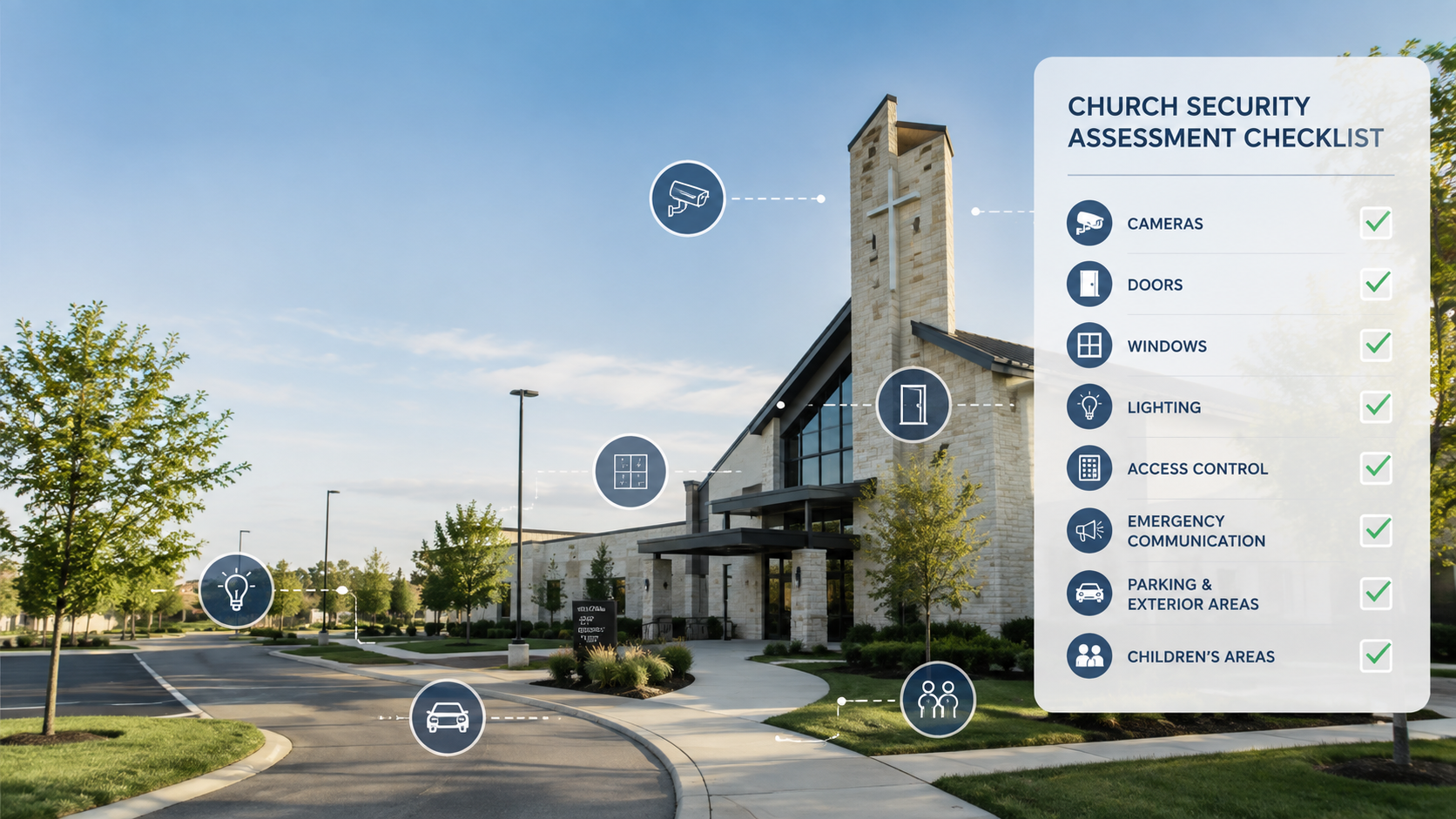
Church Security Assessment Checklist: What to Review Before an Emergency
Churches are designed to welcome people.
That creates a security challenge that is different from a traditional office, warehouse, or restricted commercial facility.
A church may have hundreds of people arriving within a short period, multiple exterior doors, large parking areas, volunteers working different schedules, children moving between classrooms, weekday activities, counseling appointments, and visitors who are unfamiliar to staff.
The answer is not automatically more cameras, armed security, weapons screening, or fencing.
The first step is understanding the property and how people actually use it.
A good church security assessment should look from the outside in. It should consider how someone approaches the property, where people enter, what occupied spaces are exposed, how children are protected, whether staff can recognize a threat, and what happens when an emergency begins.
CISA's current faith-based security guidance similarly encourages houses of worship to evaluate their overall security posture rather than relying on one protective measure.
Use this checklist as a starting point.
Not every unchecked item means something is wrong, and not every church needs the same security measures. The purpose is to identify areas that deserve a closer look.
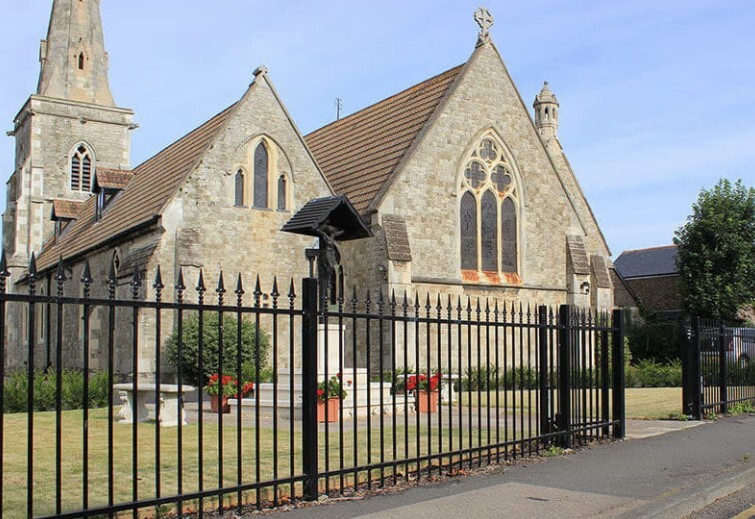
1. Property Perimeter and Exterior Approaches
Start at the street rather than at the front door.
Walk the entire property and look at how a visitor, vehicle, employee, parent, contractor, or potential threat could approach the building.
Ask:
- Can someone approach the building without being easily observed?
- Are parking lots, playgrounds, side yards, and rear areas visible to staff or cameras?
- Are vehicle entrances and pedestrian routes clearly defined?
- Does landscaping or poor lighting create concealment?
- Can someone stand close to classrooms, sanctuary windows, or other occupied spaces without being noticed?
- Would fencing, gates, bollards, or landscaping create useful additional distance or guide visitors toward a monitored entrance?
A church can have excellent security at the main entrance while still having vulnerable areas elsewhere on the property.
Fencing and gates can be useful, particularly around schools, childcare areas, playgrounds, and private portions of a campus. The goal should be to control movement and create additional time without creating problems for emergency evacuation or first responder access.

2. Doors, Windows, and the Building Envelope
Next, inspect the building itself.
Exterior doors should close and latch correctly before electronic access control is considered.
Ask:
- Does every exterior door close and latch without someone pulling or pushing it into place?
- Are unused exterior entrances secured once services or school activities begin?
- Can emergency exits still be opened immediately from inside?
- Are doors routinely propped open?
- Are large windows or sidelights located next to doors where breaking the glass could expose the locking hardware?
- Do classrooms, childcare spaces, or the sanctuary have easily accessible windows facing public areas?
- Should selected windows or walls be evaluated for forced-entry-resistant or ballistic-resistant protection?
Security window film, forced-entry-resistant glazing, and ballistic-rated materials are not the same thing.
Standard security film may help hold broken glass together or delay forced entry when properly installed as part of an appropriate system. It should not automatically be described as bullet resistant. Ballistic protection requires a properly tested assembly designed for that purpose.
The appropriate level of protection should be based on the building, exposure, risk, construction, budget, and how occupied areas are positioned relative to public space.
3. Cameras and Early Threat Detection
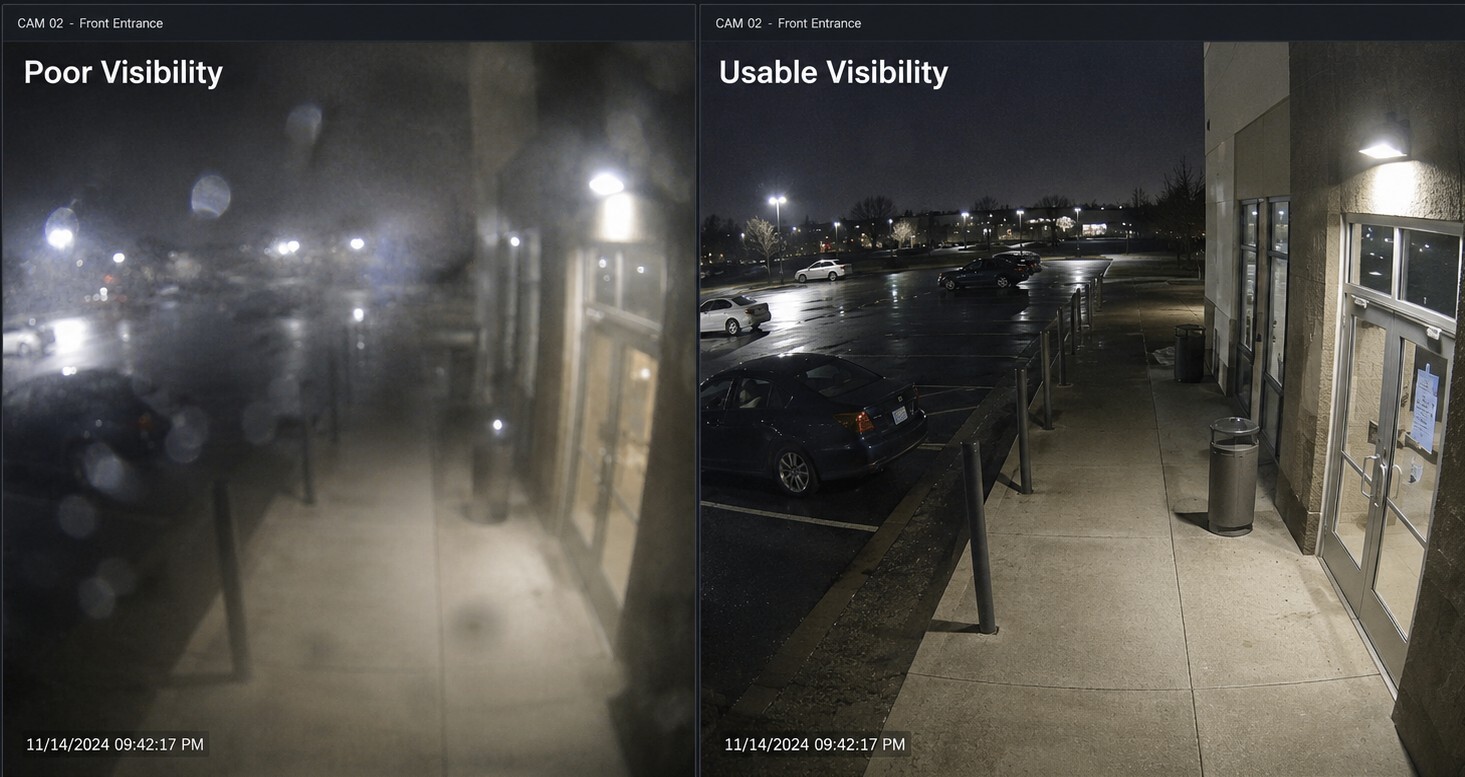
Security cameras should provide usable information, not simply prove that cameras exist.
Ask:
- Can cameras clearly observe major vehicle and pedestrian approaches?
- Are entrances, parking areas, playgrounds, courtyards, and vulnerable exterior areas covered?
- Can important views identify a person or vehicle when needed, or do they only provide a distant overview?
- Are the same views useful at night?
- Are trees, signs, columns, headlights, or direct sunlight interfering with image quality?
- Does someone receive an alert if an important camera stops working?
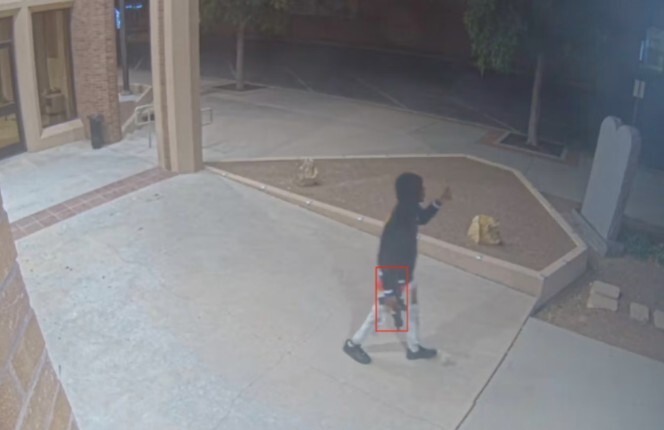
For churches concerned about an armed threat approaching the property, visual firearm detection can add another layer.
ZeroEyes works with compatible existing security cameras to identify visible, brandished firearms. Potential detections are reviewed by trained analysts before verified alerts are sent. ZeroEyes specifically supports places of worship and describes applications covering parking lots, entryways, sanctuaries, and other church spaces.
This should not be confused with concealed-weapons screening. If the weapon is not visible to a camera, visual firearm detection cannot identify it.
Camera placement and image quality therefore remain critical.
4. Access Control, Visitors, and Children's Areas
Churches need to remain welcoming without allowing every exterior door to function as an uncontrolled public entrance.
Ask:
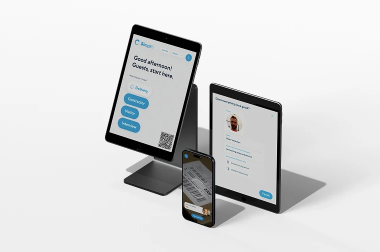
- Is there a clearly identified primary entrance for visitors?
- Can secondary exterior doors remain secured when they are not needed?
- Are staff using individual credentials instead of shared door codes?
- Can access be removed quickly when an employee or volunteer leaves?
- Can staff see and communicate with a visitor before unlocking an administrative or school entrance?
- Can someone reach childcare or children's ministry areas without passing through an appropriate control point?
- Are child check-in, pickup, and reunification procedures documented?
Electronic access control can be particularly useful for offices, schools, childcare areas, financial rooms, counseling spaces, and staff entrances.
A platform such as Verkada can connect access-control events with nearby video, allowing authorized staff to see both the door event and associated footage from one management environment.
Video intercoms can add another layer by allowing staff to communicate with a visitor before granting entry.
For churches that operate both weekday schools and weekend worship services, access rules may need to change automatically based on the schedule.
5. Weapons Screening and High-Attendance Events
Not every church needs weapons screening.
For larger congregations or selected high-attendance events, however, it may deserve consideration.
Potential applications include:
- Large weekly services
- School Masses
- Holiday services
- Conferences
- Concerts
- High-profile events
- Facilities with an elevated threat profile
A system such as Evolv Express can provide weapons screening at controlled entrances, but the equipment itself is only part of the process.
A church considering screening also needs to determine:
- Who operates the system?
- What happens when an alert occurs?
- Where does secondary screening happen?
- Who makes the decision to deny entry?
- How is law enforcement contacted if necessary?
- How does screening affect the normal visitor experience?
Weapons screening can protect the entrance where it is deployed. It does not replace exterior cameras, secure doors, window protection, trained personnel, or emergency planning.
6. Lockdown, Alarms, and Emergency Communication
A security system becomes much more valuable when staff know exactly what happens during an emergency.
Ask:
- Who has authority to initiate a lockdown?
- Can more than one trained person initiate it?
- Which doors should lock and which must remain available for evacuation?
- How are staff, volunteers, teachers, and congregants notified?
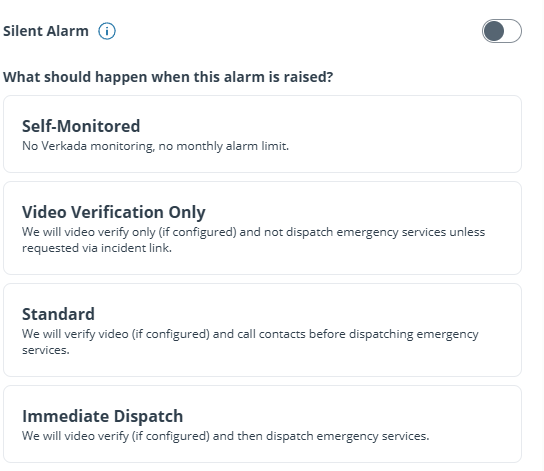
- Are panic or duress buttons appropriate at reception, children's areas, offices, or other staffed locations?
- Who calls 911?
- Can instructions be communicated throughout the building and outdoor areas?
Verkada Access Control supports configurable emergency scenarios and lockdowns. Depending on the system design, authorized users can initiate lockdowns through Command, mobile applications, alarm scenarios, or dedicated panic buttons. Verkada also supports local peer-to-peer communication between compatible access controllers for lockdown functions during an internet outage when the local network remains available.
Technology does not replace the emergency plan.
Staff should know what a panic button activates, who receives the alert, what doors are affected, who contacts emergency responders, and what occupants are expected to do afterward.

7. Training, Medical Response, and First Responders
Churches depend heavily on employees and volunteers.
Simple procedures that people understand are often more valuable than complicated plans that nobody practices.
Review whether:
- Greeters and ushers know how to report suspicious behavior.
- Security responsibilities are assigned to specific people or roles.
- Staff know when and how to call 911.
- Radios or other communication tools are available and tested.
- Staff and volunteers understand lockdown and evacuation procedures.
- AEDs, bleeding-control kits, and first-aid supplies are available and easy to locate.
- Selected staff or volunteers have received emergency medical training such as Stop the Bleed.
- Police, fire, or EMS personnel have previously walked the property.
- Emergency responders know important entrances, gates, childcare locations, and building layouts.
- The church has a family reunification plan after an evacuation.
The first time law enforcement sees the property should not have to be during an emergency.
A pre-incident walkthrough can identify issues involving gates, door numbering, responder access, building names, camera access, and other details that may otherwise create confusion.

8. Prioritize What to Fix First
A useful church security assessment should not end with a shopping list.
Findings should be prioritized according to urgency, cost, and the amount of risk they address.
Immediate improvements
These are often inexpensive issues that can be corrected quickly:
- Doors that do not latch
- Burned-out exterior lighting
- Overgrown landscaping
- Shared access codes
- Former employees with active credentials
- Cameras blocked by trees or signs
- Missing emergency contacts
- Doors routinely being propped open
Near-term improvements
These may require budgeting or installation:
- Additional exterior cameras
- Access control
- Video intercoms
- Alarm improvements
- Panic buttons
- Exterior lighting
- Playground fencing
- Emergency communication systems
Strategic improvements
Larger projects may require engineering, funding, or significant operational changes:
- Perimeter fencing and vehicle gates
- Forced-entry or ballistic-resistant windows and walls
- AI visual firearm detection
- Weapons screening
- Campus-wide access control
- Integrated lockdown
- Major network or communication improvements
Not every church needs every technology.
The objective is to identify the improvements that meaningfully reduce risk at that particular property.
Can Grants Help Pay for Church Security?
Potentially.
FEMA's Nonprofit Security Grant Program has included eligible nonprofit houses of worship and religious organizations among the types of organizations that may apply for security funding, subject to the requirements of the applicable funding cycle.
Funding programs, eligible equipment, deadlines, and application requirements can change.
A security or vulnerability assessment can be valuable even before funding is available because it helps the organization document its risks and prioritize proposed improvements.
Churches should review the current federal and state requirements before relying on grant funding for a project.
Frequently Asked Questions
What should a church security assessment include?
A church security assessment should examine the complete property, including parking areas, exterior approaches, lighting, fencing, gates, doors, windows, cameras, access control, children's areas, alarms, emergency communication, medical readiness, staff procedures, and first responder coordination.
It should also consider how the property is used throughout the week, not only during Sunday services.
Does every church need armed security?
No.
Armed personnel are one potential layer, not a complete church security strategy. Any armed-security program should consider applicable laws, training, insurance requirements, policies, leadership expectations, and coordination with local law enforcement.
How many security cameras does a church need?
There is no universal number based on square footage alone.
Camera quantity should be based on entrances, parking areas, exterior approaches, children's spaces, gathering areas, building layout, lighting, and the level of image detail needed.
The objective is usable coverage, not simply a high camera count.
Can churches use AI gun detection?
Yes, and its highly recommended.
ZeroEyes and similar visual firearm-detection technologies can work with compatible cameras to identify visible firearms. They should be considered one part of a layered security program rather than a substitute for trained people, good camera placement, access control, or emergency planning.
Should a church use weapons screening?
It depends on the organization.
Weapons screening may make more sense for larger churches, faith-based schools, high-attendance events, or organizations with an elevated risk profile. The operational requirements, staffing, visitor experience, and response procedures should be evaluated alongside the technology.
Is there a free church security assessment resource?
Yes.
CISA provides a Faith-Based Community Self-Assessment and supporting guidance that houses of worship can use to evaluate their current security posture and identify areas for improvement.
When Was the Last Time You Walked Your Property Like a Security Assessor?
Church security does not begin with buying equipment.
It begins with understanding the property, congregation, staff, volunteers, children, daily operations, and the threats the organization needs to prepare for.
Auvra helps churches and faith-based schools evaluate security from the outside in, including:
- Security cameras and exterior coverage
- Verkada access control
- Video intercoms
- Alarms and panic buttons
- Lockdown planning
- ZeroEyes visual firearm detection
- Evolv weapons screening
- Security fencing and gates
- Window and wall protection
- Children's-area security
- Emergency communication
- Security platform planning and governance
The result should not be a list of every security product available.
It should be a prioritized plan that identifies immediate vulnerabilities, practical improvements, and longer-term investments while preserving the welcoming environment that matters to the congregation.
Request a Church Security Assessment
Read: Church Security Lessons From the Annunciation Shooting